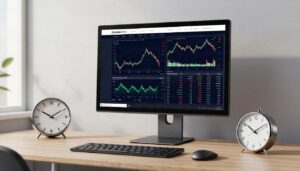

The Axi app, formally Axi Trading Platform (ATP), offers mobile charting and position-management tools, but it’s separate from MetaTrader 4 mobile. My independent assessment focuses on documented functions rather than promotional promises: neither interface guarantees better results or prevents losses.
Country, account and contracting company determine which products and protections apply, so an international Axi page doesn’t describe every European account. I also separate three activities that are easily confused: analysing a chart, deciding on a trade and getting an order executed.
That distinction is the starting point for understanding the app’s practical value, particularly when a convenient interface can make complex, leveraged products feel more straightforward than their underlying risks suggest.
Key Takeaways
- ATP and MT4 mobile are separate products, and an MT4 login doesn’t provide access to ATP.
- Axi documents TradingView charts, indicators, watchlists and position controls within ATP, which is available only in selected regions.
- Charting integration doesn’t establish access to every TradingView feature or a direct trading connection through TradingView.com.
- Spreads, commissions and overnight financing depend on the account and instrument, rather than the appearance of the app.
- Stop-loss controls cannot guarantee an exit price, whilst regulation doesn’t prevent ordinary trading losses.
Inside Axi App: Features That Give You a Competitive Edge
Axi’s documented features support analysis and trade management. Whether they improve your workflow depends on the functions you need, not their marketing labels.
TradingView charts, indicators and watchlists
Axi’s UAE platform documentation describes TradingView charts, technical indicators and watchlists within ATP. This is evidence of the platform’s advertised functionality, rather than a European eligibility statement.
Watchlists organise instruments you follow, whilst indicators help analyse price information. Neither establishes that a particular market is tradable through your account.
I wouldn’t equate embedded TradingView charts with the complete TradingView service. The documentation doesn’t establish an exhaustive indicator catalogue or identical functionality across devices. Chart analysis also remains separate from submitting, accepting and filling an order.

Position controls and order management on mobile
Axi describes setting stop-loss and take-profit levels within ATP, alongside closing a position with two taps. Fewer steps may make routine position management more convenient.
The number of taps says nothing about the execution price. A submitted instruction and a completed transaction are different events, particularly during volatile markets or interruptions.
Our guide to forex order execution explains that distinction. These documented ATP controls also don’t establish support for every pending order, desktop function or specialist execution setting. A short route to an order still requires attention to its size and direction.
Market access and research in one place
Axi’s international website promotes market analysis and trading across categories including forex, gold, shares and indices. Availability depends on the country, account and contracting entity.
Market categories also need careful interpretation. A share CFD gives exposure to price movements without ownership of the underlying shares. Spot holdings and exchange-traded products involve different contracts and rights.
Axi’s published market totals describe different product offerings, rather than a single verified European catalogue. I treat research access as information to assess, not a ready-made signal or evidence that every displayed instrument can be traded.
Axi App or MT4 Mobile: Which Tools Are Actually Different?
ATP is Axi’s separate platform; MT4 is MetaTrader software used with a compatible brokerage account. An MT4 login doesn’t work in ATP.
Axi says separate platform accounts may be opened. That doesn’t make their functions interchangeable, or establish that both products are available under every country’s account arrangements.
MT4 mobile alerts and chart tools
Axi describes MT4 mobile as offering live charts, price alerts and analysis tools. These support monitoring and chart review, but ATP’s TradingView integration and two-tap closing description shouldn’t be transferred to MT4.
Desktop MT4 capabilities also need their own assessment. Expert Advisors, which can automate trading rules, and desktop add-ons aren’t established mobile functions simply because they carry the MT4 name.
Our TradingView and MetaTrader comparison explains the broader software distinction. I would judge each mobile product by its documented functions, rather than crediting it with everything available elsewhere in the platform family.
Check the app against your trading routine
A practical usability test should cover chart readability, order entry, position changes, alerts and account access on your intended device. Small screens can make price levels, position sizes and confirmation messages harder to distinguish.
Test the tasks you expect to repeat. Moving between a watchlist and an open position may matter more than an indicator you rarely use. Order acknowledgements deserve attention alongside how quickly the interface responds.
Where a demo is available, it can reveal interface problems without exposing money to market movements. It cannot prove live execution quality, available liquidity, fills or slippage.
A comfortable interface is useful evidence about usability. It isn’t evidence that live trading will reproduce simulated results.
The Costs, Risks and Regional Limits Behind the Axi App
The interface is only one part of the service. Your account agreement and product terms determine the charges, contractual rights and trading restrictions behind the screen.
Spreads, commissions and overnight charges
The spread is the difference between the buying and selling price. Commission may be charged separately, whilst overnight financing can affect positions held beyond the applicable rollover point.
Advertised minimum spreads don’t describe typical costs throughout a trading session. Spreads can change with liquidity and volatility, and a lower displayed spread may be offset by commission.
I compare costs using the same instrument, account basis and holding period. A minimum spread for one account and a typical spread for another aren’t equivalent figures. Currency conversion and applicable account or payment charges also belong in the calculation.
Country, legal entity and client protections
Europe isn’t a single regulatory market. The UK, EU, EEA, Switzerland and other European jurisdictions don’t share one uniform set of permissions or protections.
The company named in the client agreement determines the contractual relationship. A licence or protection associated with another company in the same group doesn’t automatically transfer to that account.
Our explanation of European forex broker regulation sets out these distinctions. Regulatory authorisation doesn’t guarantee good execution, prevent ordinary market losses or provide blanket protection against misconduct. Client-money arrangements, compensation eligibility and negative balance protection address different risks.

Leverage and the limits of mobile risk controls
Leverage creates exposure larger than the funds committed as margin. Relatively small price changes can therefore produce substantial losses, and insufficient margin can trigger forced position closures.
A stop-loss cannot remove market gaps or limited liquidity. Slippage means the execution price differs from the expected or requested price.
International leverage advertising isn’t a statement of European retail limits. Country, product and client classification matter. Convenient controls can support discipline, but they don’t change the underlying exposure or prevent losses when a market moves sharply.
Frequently Asked Questions
Is Axi Trading Platform available across Europe?
Axi describes ATP as available only in selected regions, rather than throughout Europe. Its availability information also distinguishes between Android and iOS. I wouldn’t treat access to a regional website or app listing as proof that a particular country and account combination is eligible.
Can an MT4 account be used in the Axi app?
An MT4 login doesn’t work in ATP because the platforms use separate accounts. Axi says users may open separate platform accounts where available. That separation concerns account access; it doesn’t establish automatic transfer of positions, preferences or other settings between the two products.
Does the Axi app include TradingView charts?
Yes. Axi documents TradingView charts within ATP, and its iOS app description also advertises integrated charting. This doesn’t establish access to every TradingView subscription feature, indicator or integration. It also doesn’t establish that ATP credentials connect directly to the broker panel on TradingView.com.
Can the Axi app guarantee a stop-loss price?
The documented stop-loss control isn’t evidence of a guaranteed exit price. A stop-loss is an instruction whose execution depends on market conditions and contractual terms. During a price gap, the market may move beyond the requested level before an executable price becomes available.
Are Axi’s advertised spreads the same for every European user?
A published minimum doesn’t establish a universal European price or the typical spread on a particular trade. Instrument, account, timing and contracting entity affect the comparison. I assess the spread alongside commission and financing because a headline spread alone doesn’t describe the complete cost.
Conclusion: Judge the Account Behind the App
ATP’s documented charting, watchlists and position controls may make mobile trade management more convenient, but they don’t establish a competitive trading advantage. The product remains separate from MT4, and its availability isn’t universal.
Before depositing, the decision rests on six account-specific facts: country availability, contracting entity, platform, instruments, full costs and risk terms. Those facts matter more than a polished interface or a broad international marketing claim.
My assessment gives practical functionality credit without confusing convenience with protection. An app can shorten the path to a trade; it cannot make the outcome dependable.